

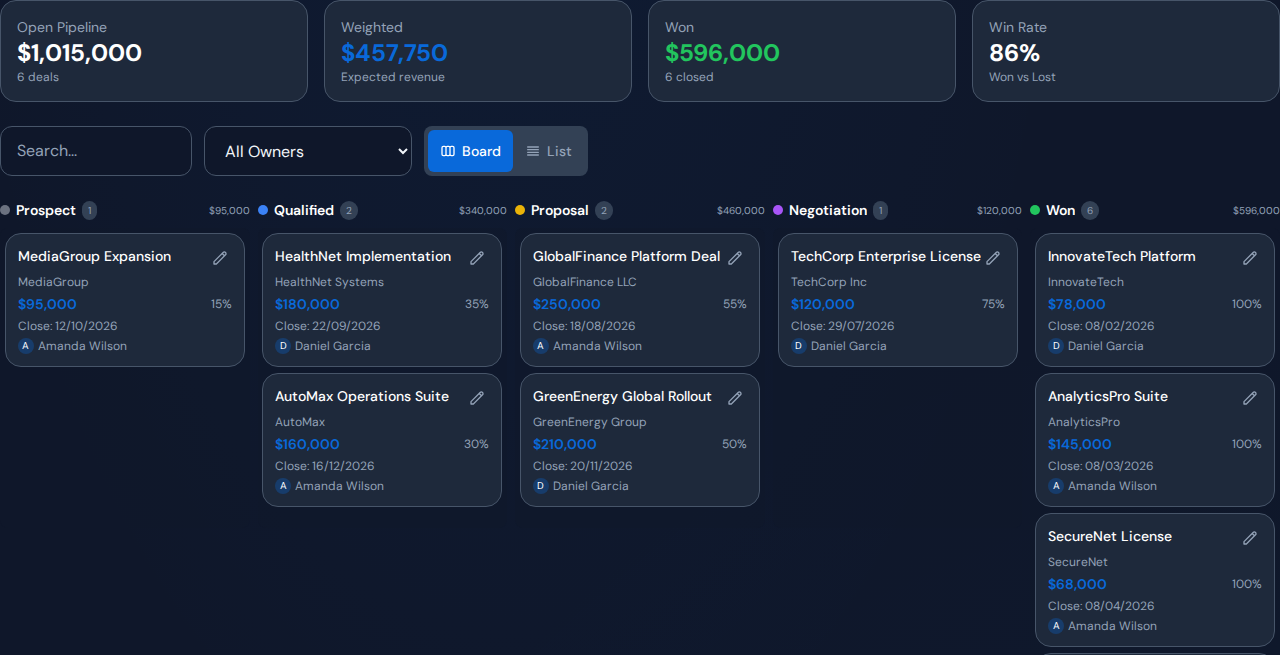
If the sales forecast keeps slipping, review deal movement beside the work needed to reach the next customer decision. A useful sales team performance dashboard includes stage, expected close date, next action, owner and internal blockers. Revenue totals alone cannot distinguish a missing follow-up from a proposal waiting on legal review.
Start with the deals that need a decision#
Choose a review period and identify deals whose next milestone or expected close date is at risk. Verify the customer-agreed next step and the last meaningful update. Separate internal readiness from the customer’s decision process.
Keep probability-weighted pipeline labeled as an estimate. The calculation combines deal value with a probability assumption. It does not turn an uncertain close date into committed revenue.
Put these fields beside the pipeline#
- Deal stage, value and expected close date.
- Next customer milestone and the seller accountable for it.
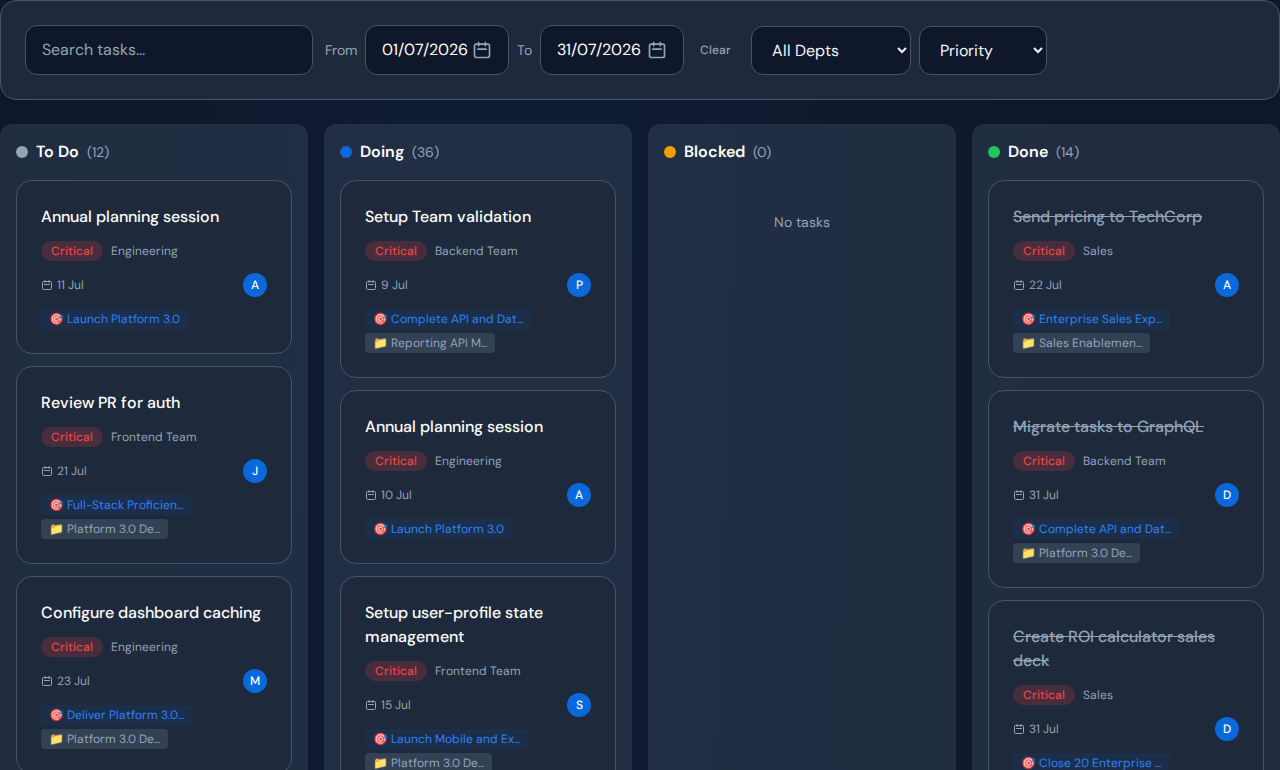
- Overdue or blocked tasks required for that milestone.
- Internal approval owner and requested decision date.
- Recent activity and the reason the next step has not happened.
- Seller workload and relevant deal complexity.
Use the smallest set that supports action. A long activity leaderboard can distract from the single technical approval preventing several proposals from being sent.
Worked example: proposals waiting for technical answers#
In a hypothetical sales review, three proposals have not advanced. One seller has not arranged the next customer meeting. Two others are waiting for technical validation from a shared team.
The first case needs seller follow-up. The other two need an agreed technical-review order and ready inputs. Asking all three sellers to make more calls would miss the difference. Check the proposal task and customer milestone at the next review.
Avoid turning activity counts into employee judgments#
Call counts, task counts and won value reflect different work and time horizons. Compare similar deal stages and territories, then inspect context. A seller supporting a complex procurement process may record fewer activities than one handling short-cycle inbound demand.
Use the dashboard to find questions for coaching or cross-team support. Employment decisions require broader evidence and human review.
How Commandix connects deals and internal tasks#
The Sales module records deals, stages, values, owners and activities. Linked tasks provide context for internal work. Review those records together to determine whether the next action belongs with the seller, another team or the customer.
Confirm the fields and data movement you require before treating any product as a replacement for an established CRM. This guide concerns sales delay diagnosis, not a claim of complete CRM feature parity.
Related guide: Find internal approvals that are delaying sales.
Frequently asked questions#
Which sales metric should I review first?#
Start with the deal milestone that is at risk, then inspect the tasks and decisions needed to reach it. Use revenue and pipeline totals to set context.
Does weighted pipeline predict actual revenue?#
It is a probability-weighted estimate. Its usefulness depends on the assumptions, deal quality and current records, and it should not be presented as guaranteed revenue.