
Set the structure
Create departments and teams. Assign people and agree who owns the project, the work and the review.
The Commandix platform
Manage tasks, projects and sales in one platform. See who is delivering, what is overdue, and where your team needs help.
Real product. Sample company. Start with the CEO account.
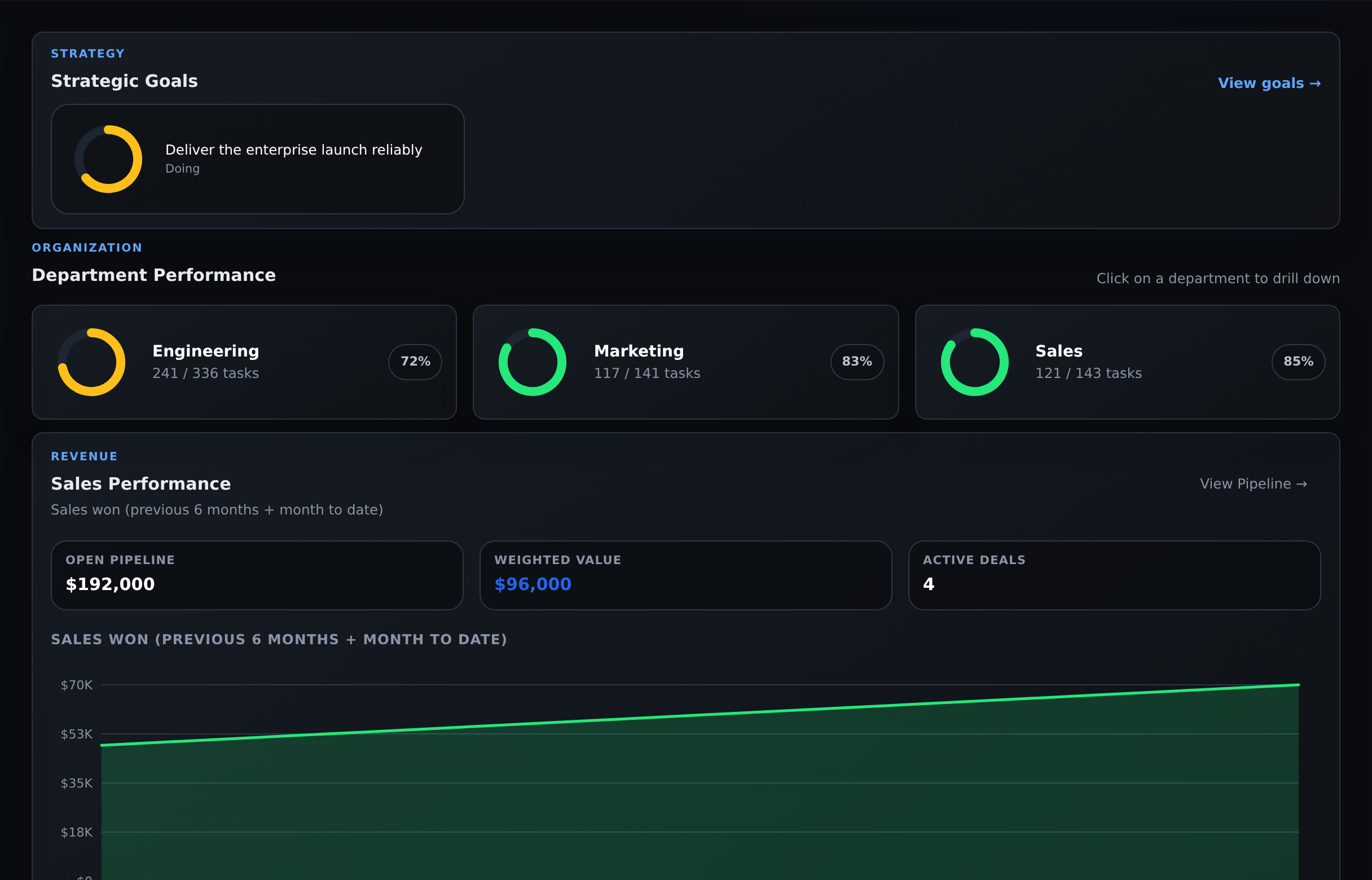
Start with company results. Open the department, team or work that needs attention.Actual product · Fictional Acme demo
01 / Task management
Turn a commitment into a task with an owner, a priority and a due date. Keep the updates and blockers beside the work, where the next person can find them.
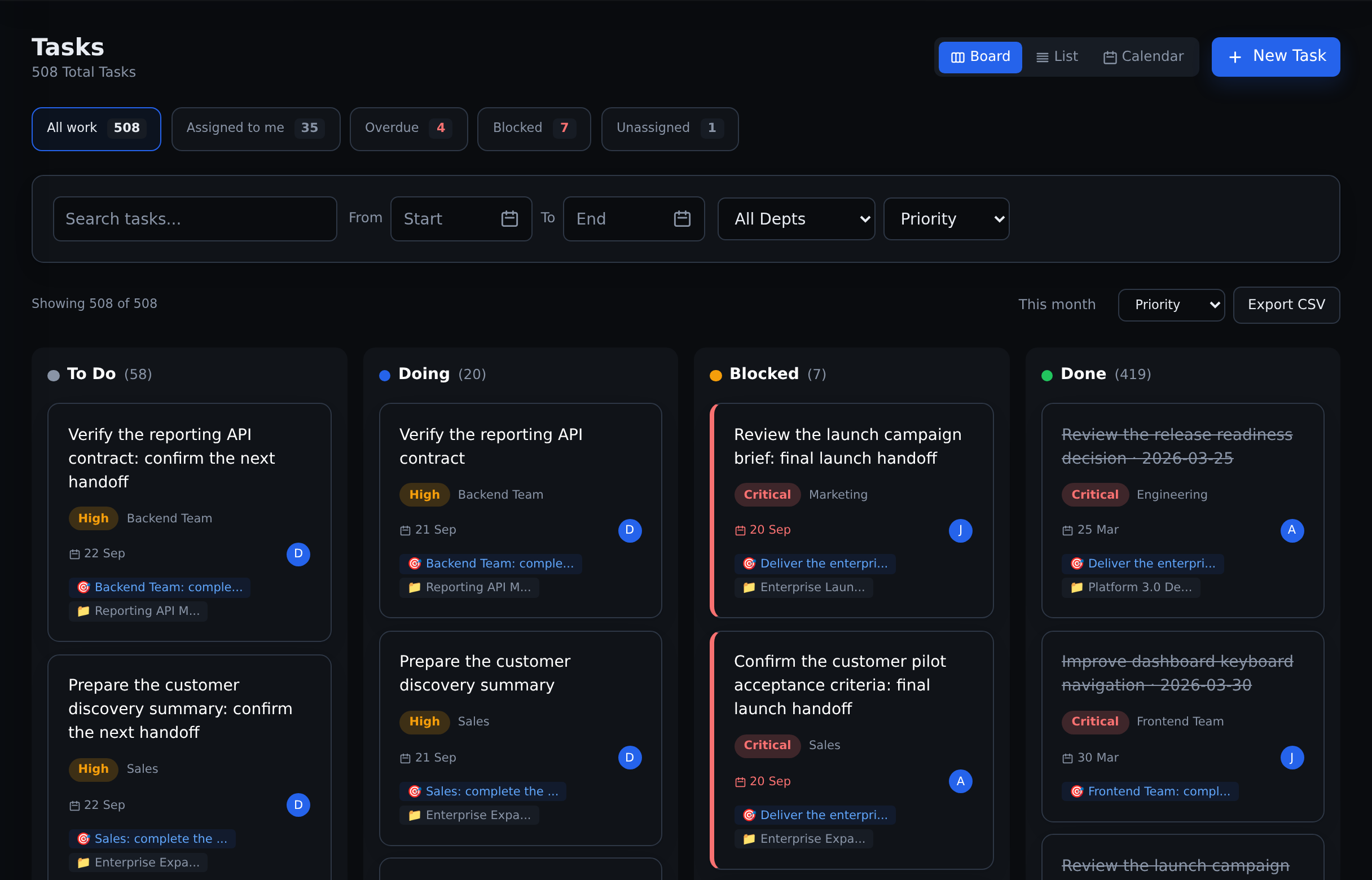
Separate work that is ready, underway, blocked or finished before choosing the next priority.Actual product · Fictional Acme demo
02 / Project management
Keep a project’s owners, collaborators, tasks and goal together. Move from the whole project to the nested work behind a deliverable.
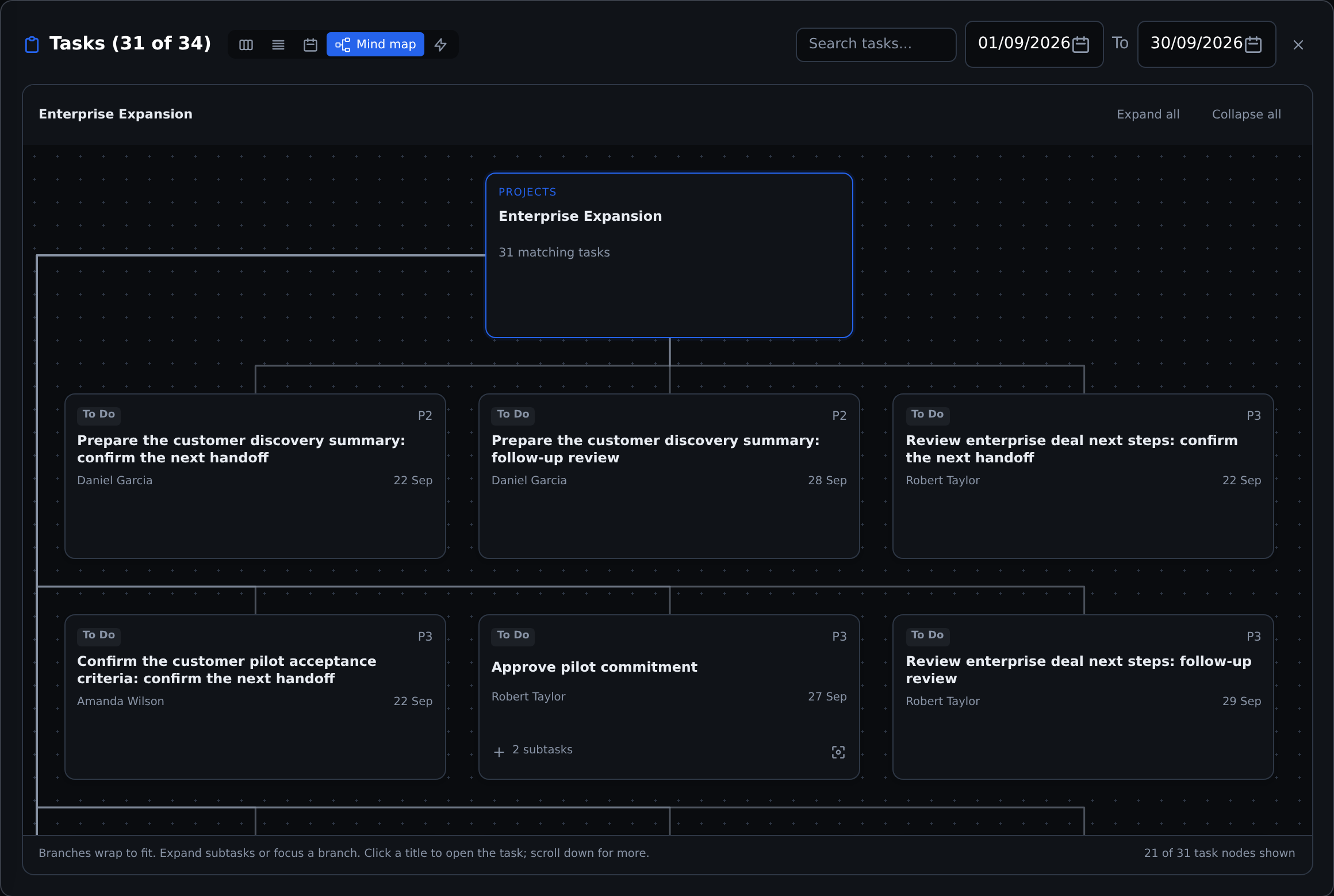
Inspect the work below a project summary. Expand a branch to see its subtasks and owners.Actual product · Fictional Acme demo
Link projects and tasks to goals so a review can follow the work supporting a priority.
03 / Sales management
Manage the pipeline and the work needed to advance it. Keep each deal’s owner, stage, expected close date and activity in view.
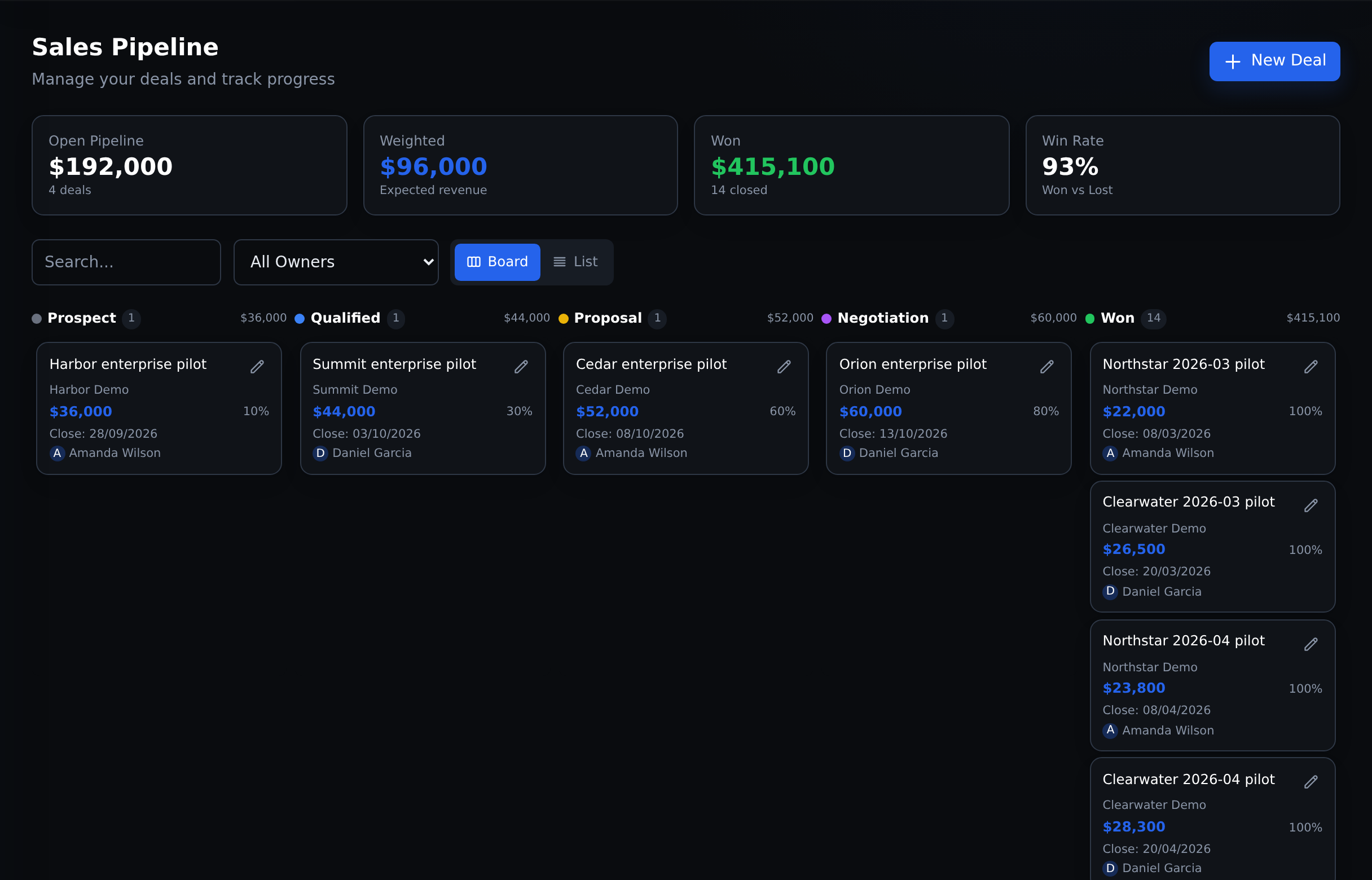
Review each stage and its next follow-up. Weighted pipeline is an estimate, not booked revenue.Actual product · Fictional Acme demo
04 / Team performance
A missed deadline, lower completion rate or growing workload needs context. Find the signal, open the work, and decide whether to coach, unblock or reassign.
From the company dashboard in the CEO demo:
Open the department.
Follow the team’s results.
Compare completion and work signals.
Open a person for their tasks and goals. Use History to compare six months of recorded team results.
Explore teams and people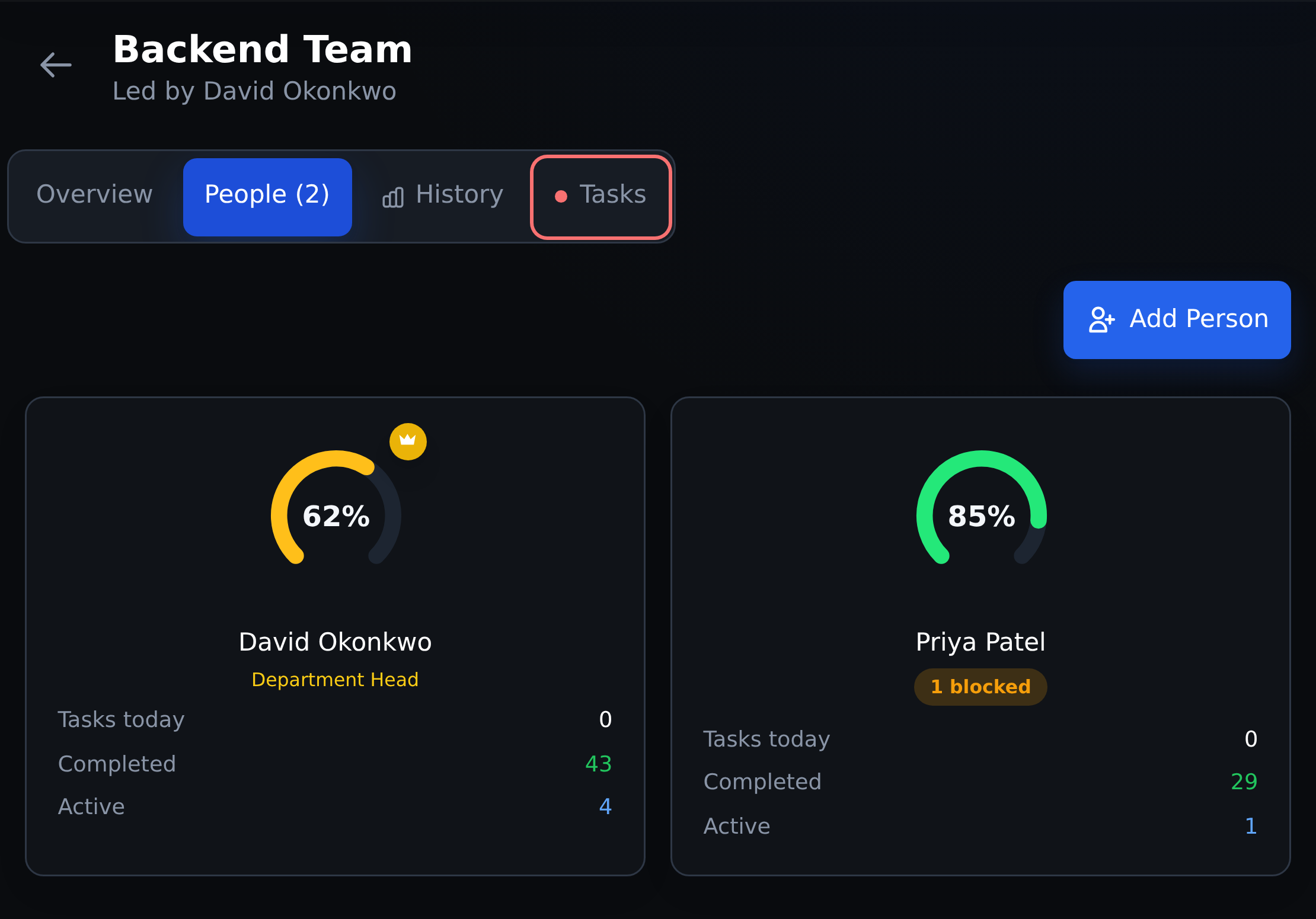
Start the conversation with the work behind the number. Opening an individual is a further click.Actual product · Fictional Acme demo
Context changes the decision. Low completion can reflect overload, blockers or different task scope. Compare responsibilities and periods before judging performance. The path depends on your hierarchy and access.
05 / Bottleneck analysis & follow-up
When several tasks, projects or deals stall, inspect the shared queue, dependency or team behind them. Review the evidence before deciding what to change.
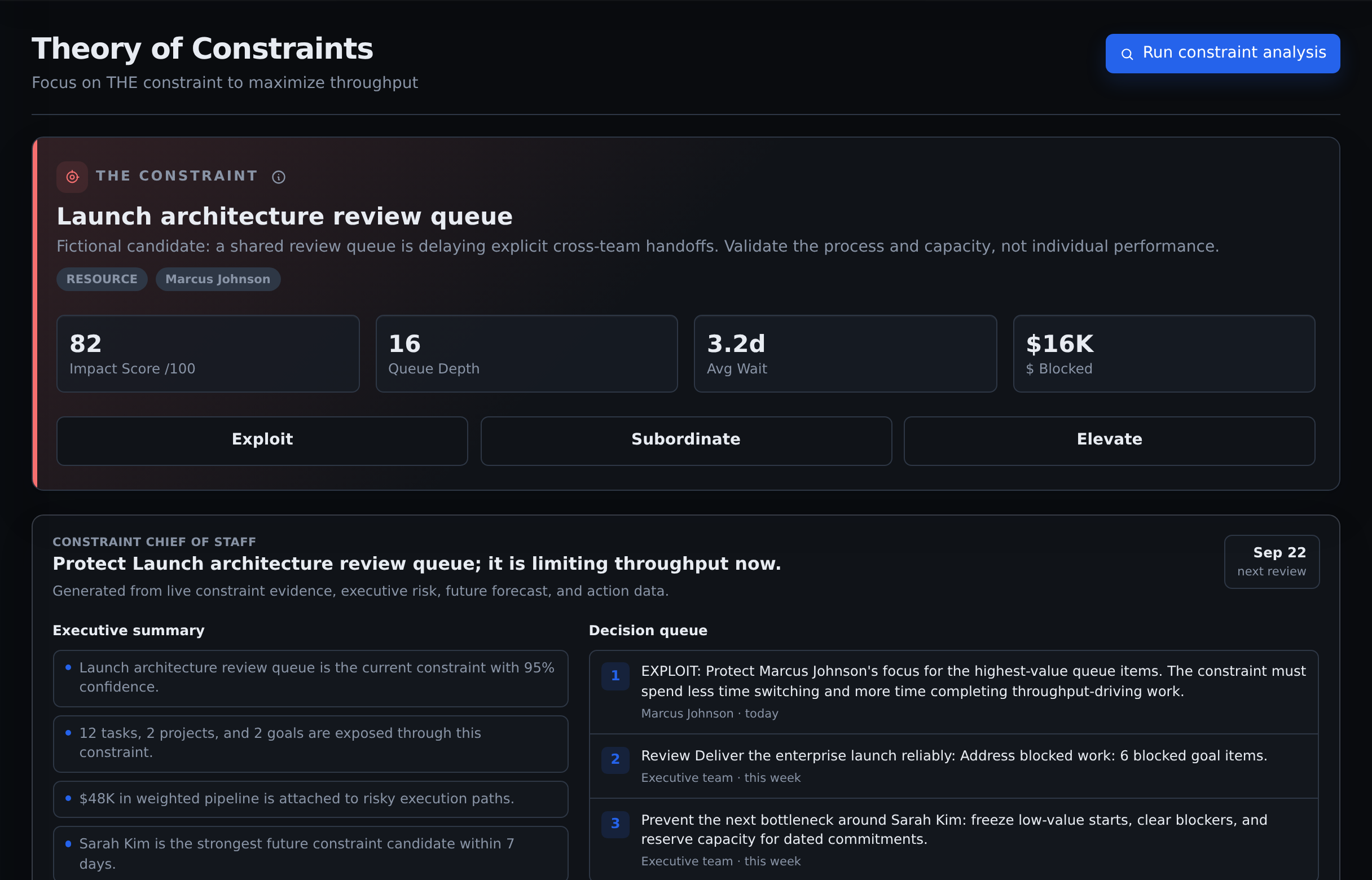
Inspect a candidate and its supporting evidence. A score is a starting point for validation, not proof of a cause.Actual product · Fictional Acme demo
Make the first workspace useful
Useful reporting starts with records people maintain. Choose a real project or operating area, then build a review around it.
Create departments and teams. Assign people and agree who owns the project, the work and the review.
Add tasks and deals with owners, dates and states. Link related work and record a specific reason when something is blocked.
Open the work behind a weak result. Agree one change and check the next period. A new workspace needs history before trends are meaningful.
Before you decide
Explore the sample company, check the workflows, and discuss the scope your organization needs.
Yes. Tasks, nested subtasks, projects, goals and sales deals can be created and managed in Commandix. Team and leadership views use those records to support review and follow-up.
Yes. Subtasks break a deliverable into smaller work. Dependencies record which tasks depend on others. The mind map shows the hierarchy, while the dependency graph shows explicit handoffs. Creating a subtask does not automatically create a dependency.
Parent and standalone tasks support weekly, monthly or custom recurrence after completion. Subtasks do not recur automatically. Projects can be duplicated, but the copy needs review: hierarchy and dependencies are not preserved, and project recurrence is not automatic. See the project guide for the current copying limits.
Pricing is custom per organization. Agree the team scope, access requirements and rollout in your proposal. Review enterprise pricing, current connection options and the Trust Center before committing.
See it with real product data
Try the task board, expand a project mind map, inspect the sales pipeline and compare a team’s results.