Real product. Sample company. Choose the CEO demo account.
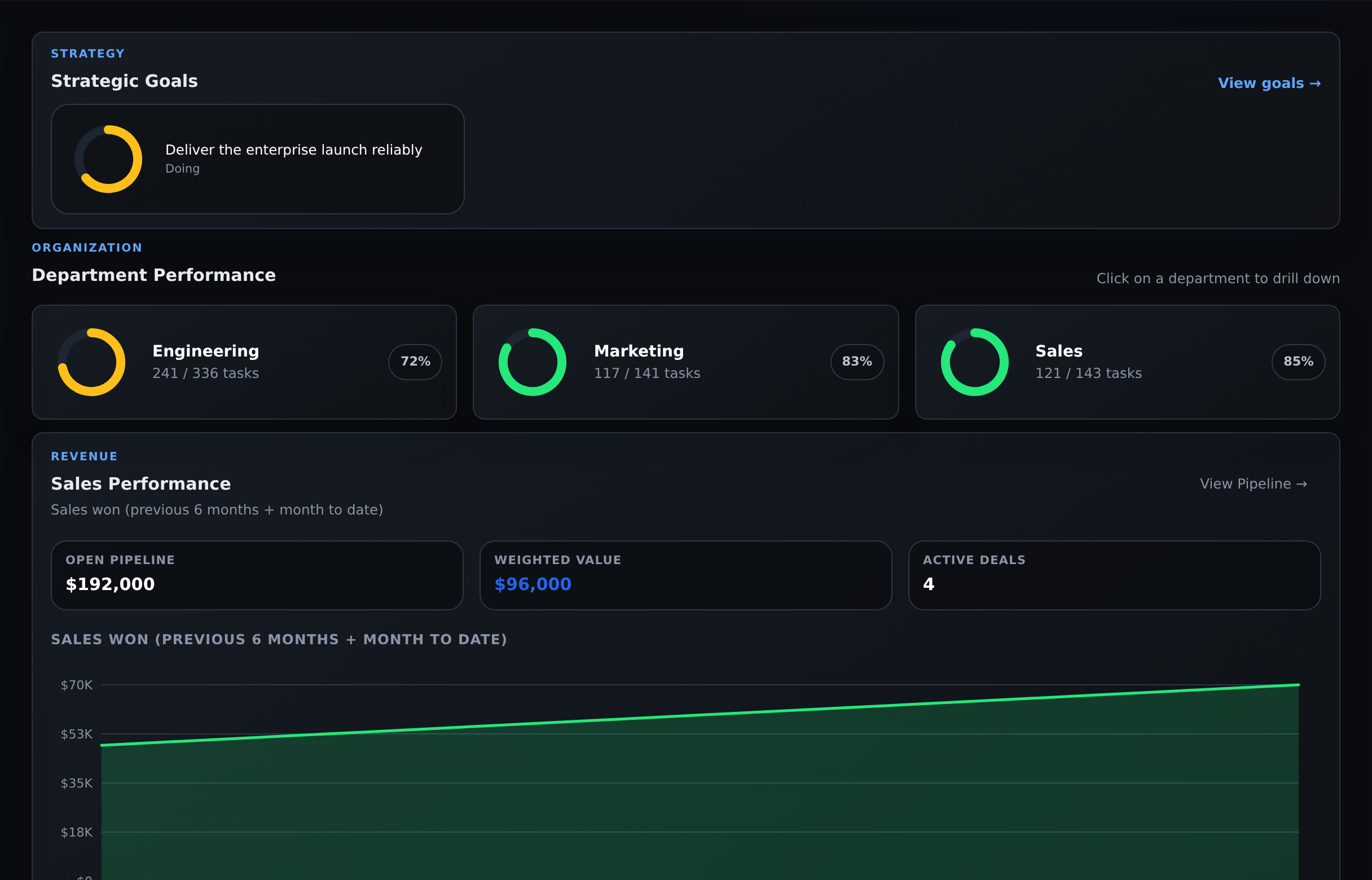
Your company, in viewActual Commandix dashboard
Company → Department → Team → PersonFictional Acme demo · Click any screenshot to inspect
From company view to individual performance
Spot low performance. Get there in three clicks.
See whose work needs attention, then investigate the reason. Completed work, overdue tasks and workload give you a starting point for a better management conversation.
Start on the company dashboard
Then open a person to inspect their tasks and goals. Use History to check whether a pattern persists.
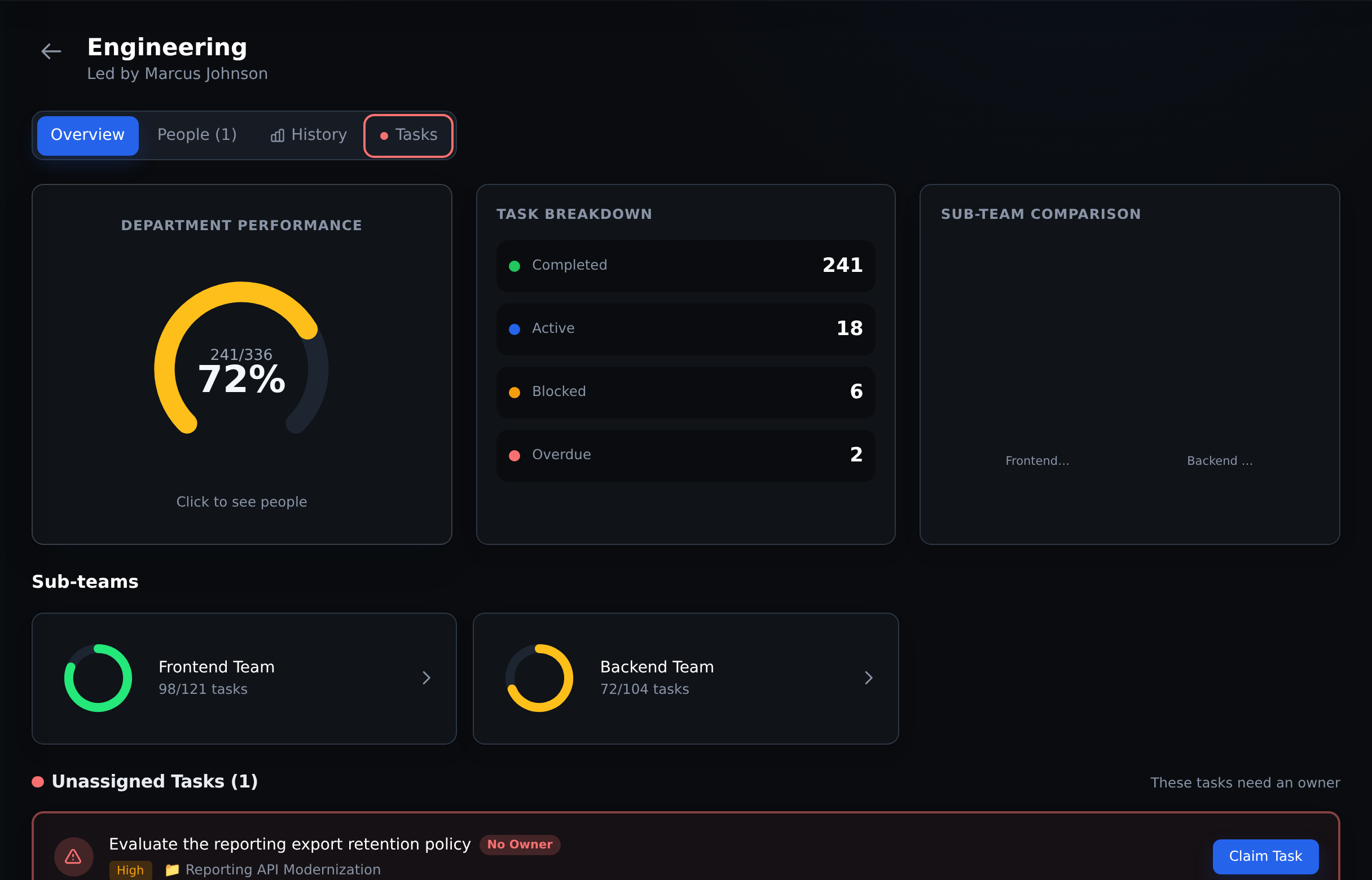
Click 1 of 3 Compare the department’s results and open the team behind them.
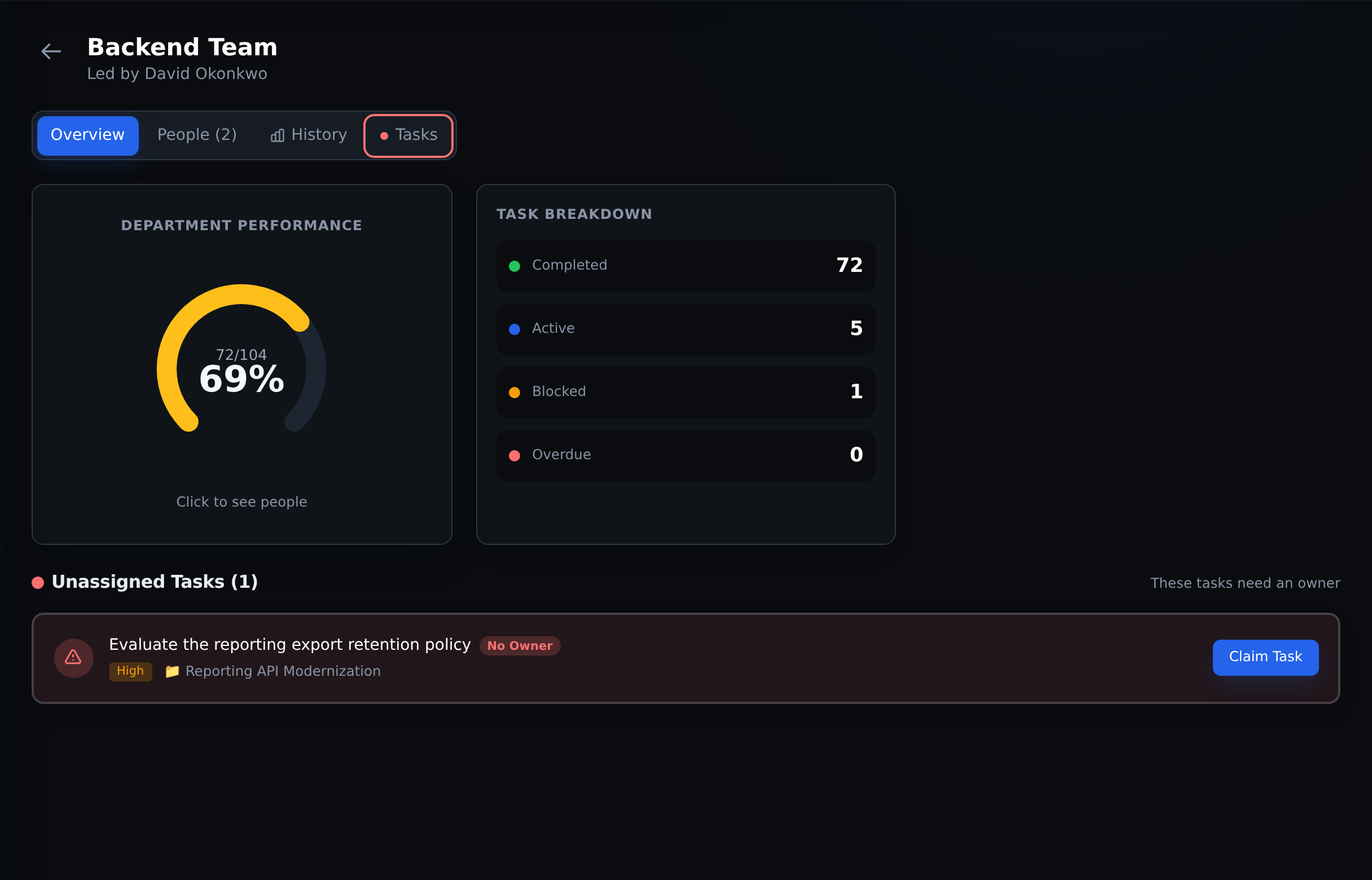
Click 2 of 3 Narrow the view to the team and its assigned work.
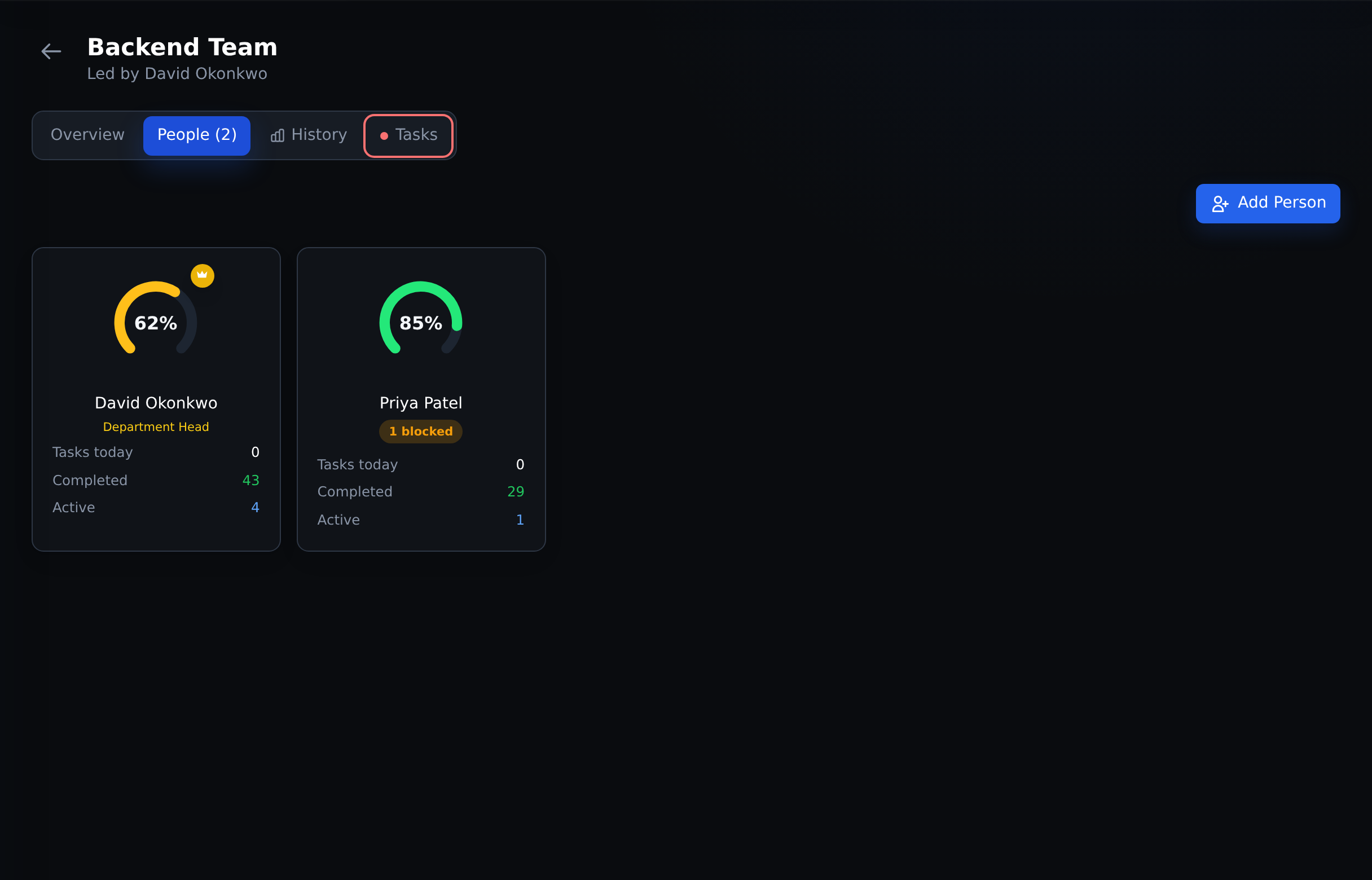
Click 3 of 3 Find the performance signals that deserve a closer look.
The number starts the conversation. Low completion can reflect blocked work, overload or different task scope. Check the context before judging performance. This example starts from the owner dashboard with access to the team.
The work behind every result
Run tasks, projects and sales. Keep the context together.
The same workspace your team uses to get work done gives leadership the detail to understand what is happening.
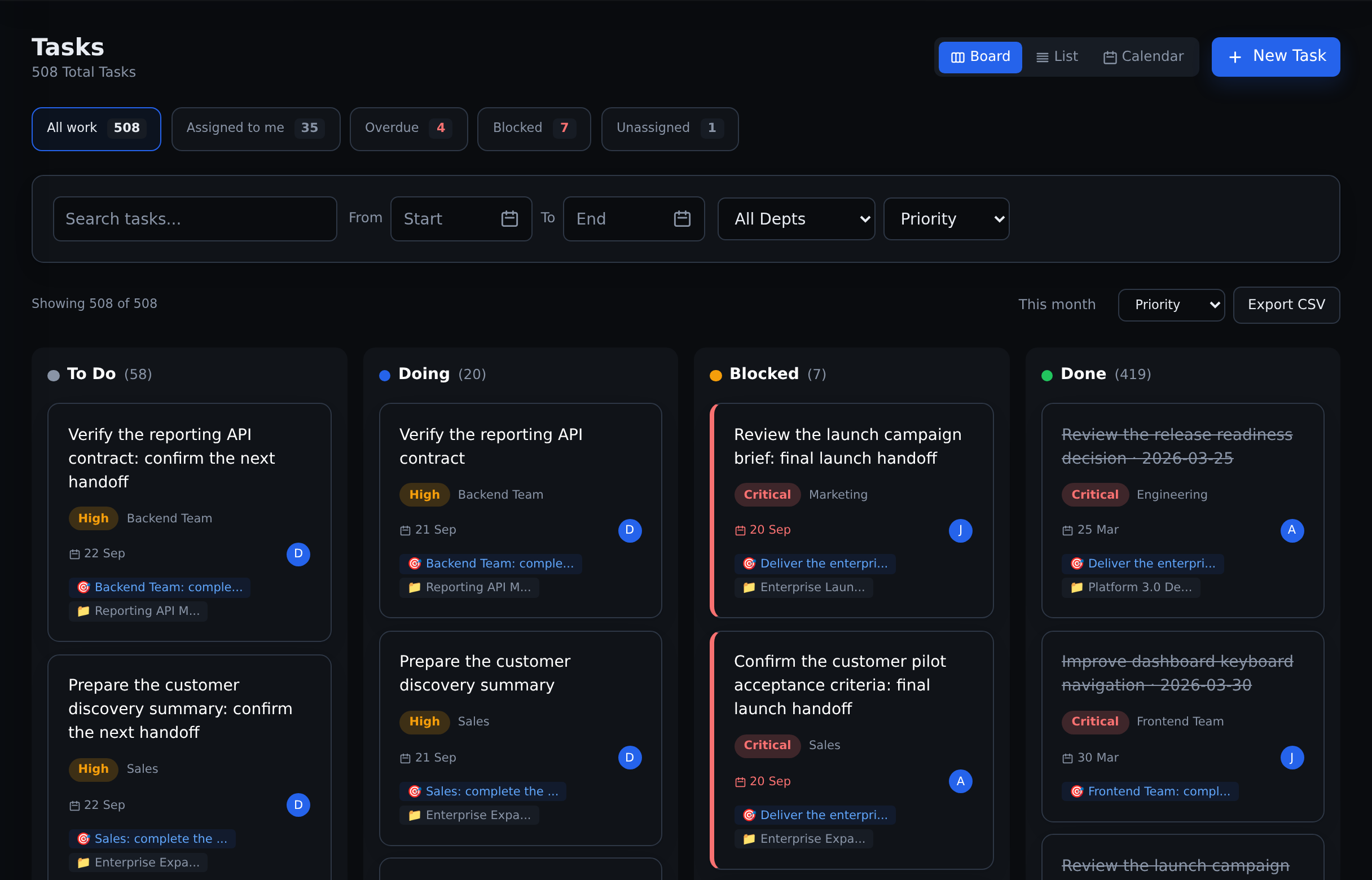
✓ Task management
Make the next move clear.
Give work an owner, a deadline and a priority. Keep subtasks, dependencies and blocked reasons attached to the task.
Board, list and calendar views
Comments, files and recurring tasks
Personal work and department queues
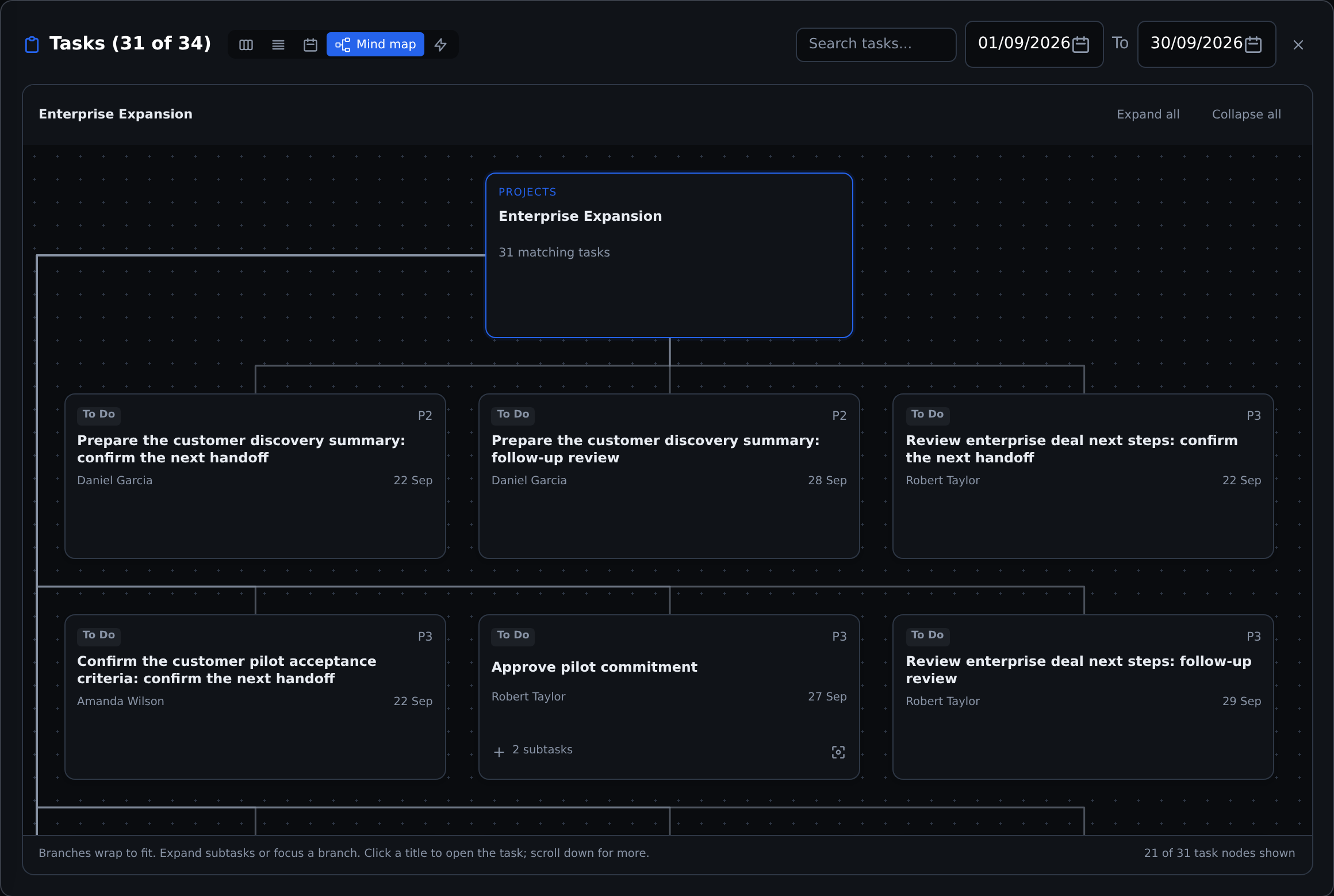
↳ Project management
See how the pieces connect.
Break projects into tasks and nested subtasks. Follow ownership, dates and dependencies from the plan to the detail.
Boards, lists, calendars and timelines
Drill-down mind maps
Dependency graphs and goal links
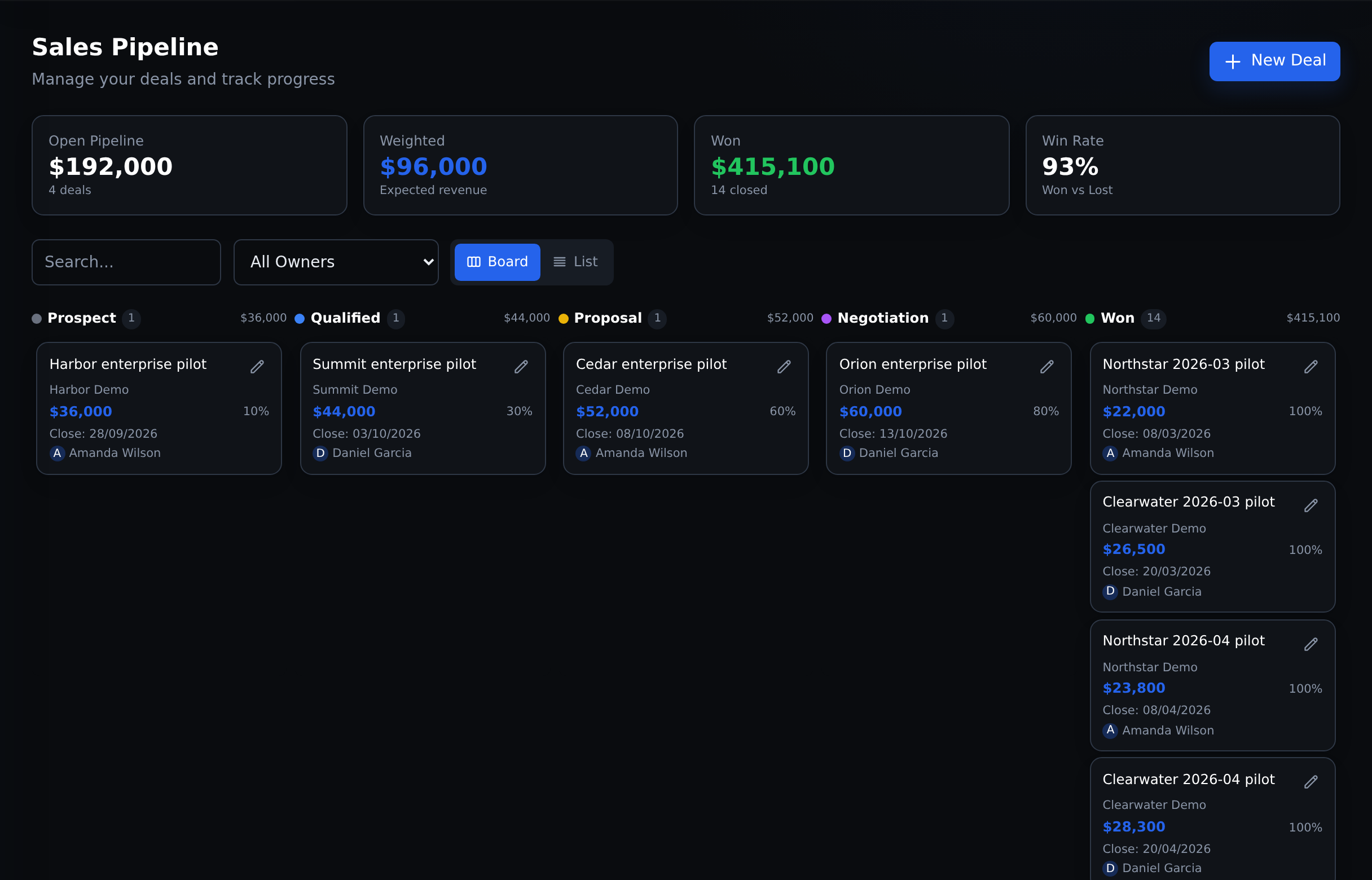
↗ Sales management
Keep the pipeline moving.
Manage deals, owners, stages and expected close dates. Review sales activity alongside the work your team needs to finish.
Pipeline board and deal list
Calls, emails, meetings and notes
Deal values and seller history
Goals connect the work to company priorities. Team and person views connect it to accountability.
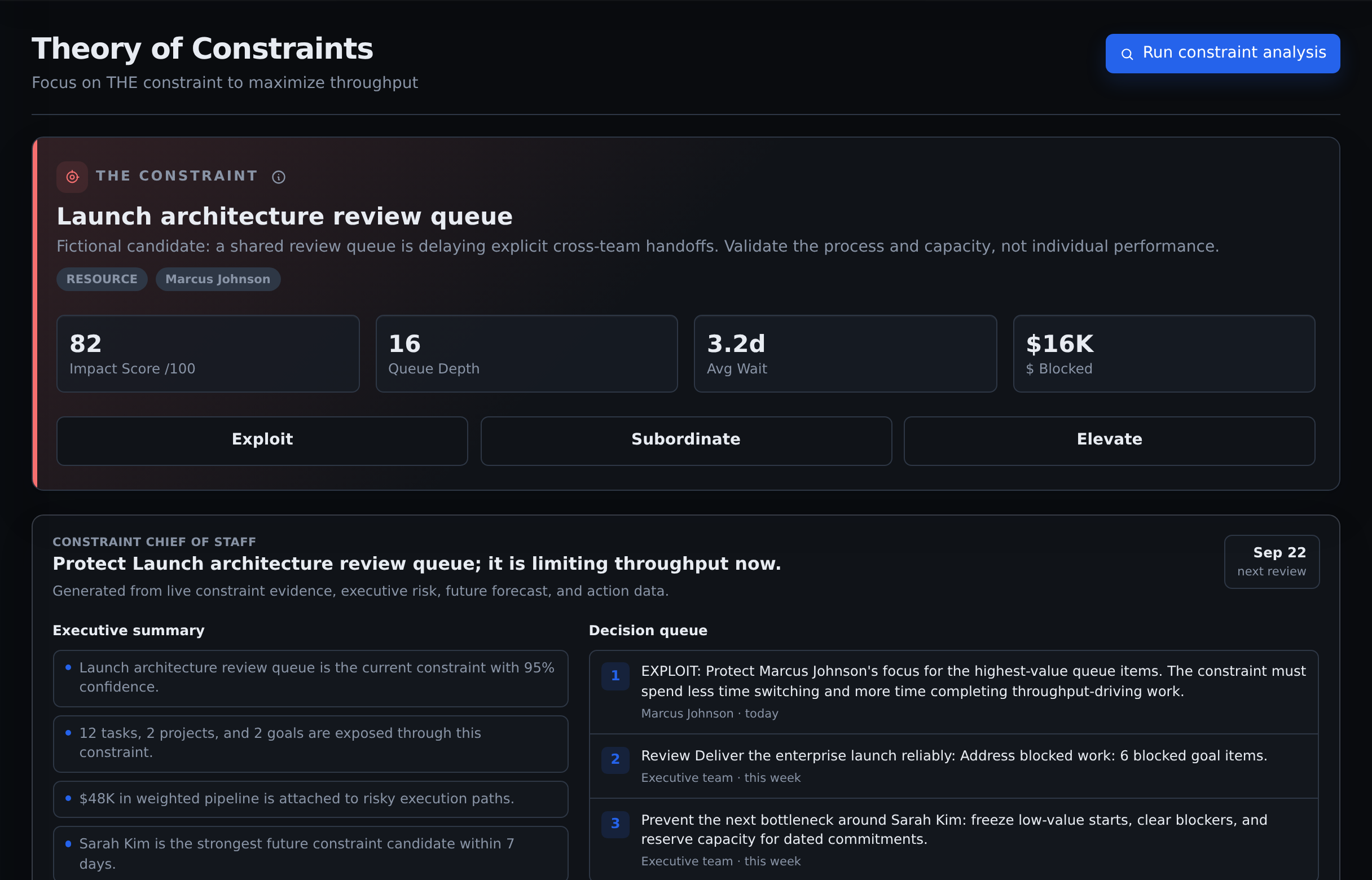
A late project can involve several people, approvals and dependencies. Commandix’s constraint analysis brings the waiting work and its impact into view.
01
Inspect the likely bottleneck
Review waiting work, affected projects and deals, and the evidence behind the finding.
02
Choose a response
Protect capacity, change priorities or address the limiting step. Give the action an owner.
03
Check what changed
Compare the next result with the baseline instead of closing the discussion at “done”.
Evidence and confidence guide the review. Leadership validates the cause and decides what to change.
Real product · Fictional Acme demo
Before you explore
A few straight answers.
See the product for yourself. Then discuss the right scope for your organization.
Can we manage our work here, or is it just analytics?
You can create and manage tasks, subtasks, projects, goals and sales deals directly in Commandix. The dashboards and constraint analysis use that operating context to help you review performance and investigate delays.
Can I really find low performance in three clicks?
The example above follows three clicks from the company dashboard: Engineering, Backend Team, then People. It exposes completion and overdue signals for that team. Open a person for more detail and use History to compare periods. Your path depends on your company hierarchy and access. The numbers support a review, not an automatic verdict on someone’s ability.
What will I see in the demo?
A fictional company with goals, departments, people, projects, tasks, deals and constraint evidence. Choose the CEO demo account for the company view. The sample data is refreshed, so dates and totals may differ from these screenshots.
How is Commandix priced?
Pricing is custom per organization. Agree on your team scope, access requirements and rollout before committing. See how enterprise pricing works.
Where can IT review security and privacy?
The Trust Center links to current security, privacy and data-processing material. Review your organization’s requirements with us before rollout.
Put the product to the test
Open the company. Follow the work.
Explore a department. Compare the people. Open a project or deal. See whether Commandix gives you the picture you need.